VU Reloaded
A dark theme, map overlays and a much better mobile map for Visual Utopia. It runs in your own browser, through the Image-pack setting the game already has.
Unofficial. Not made or endorsed by Visual Utopia. Free, and used at your own risk.
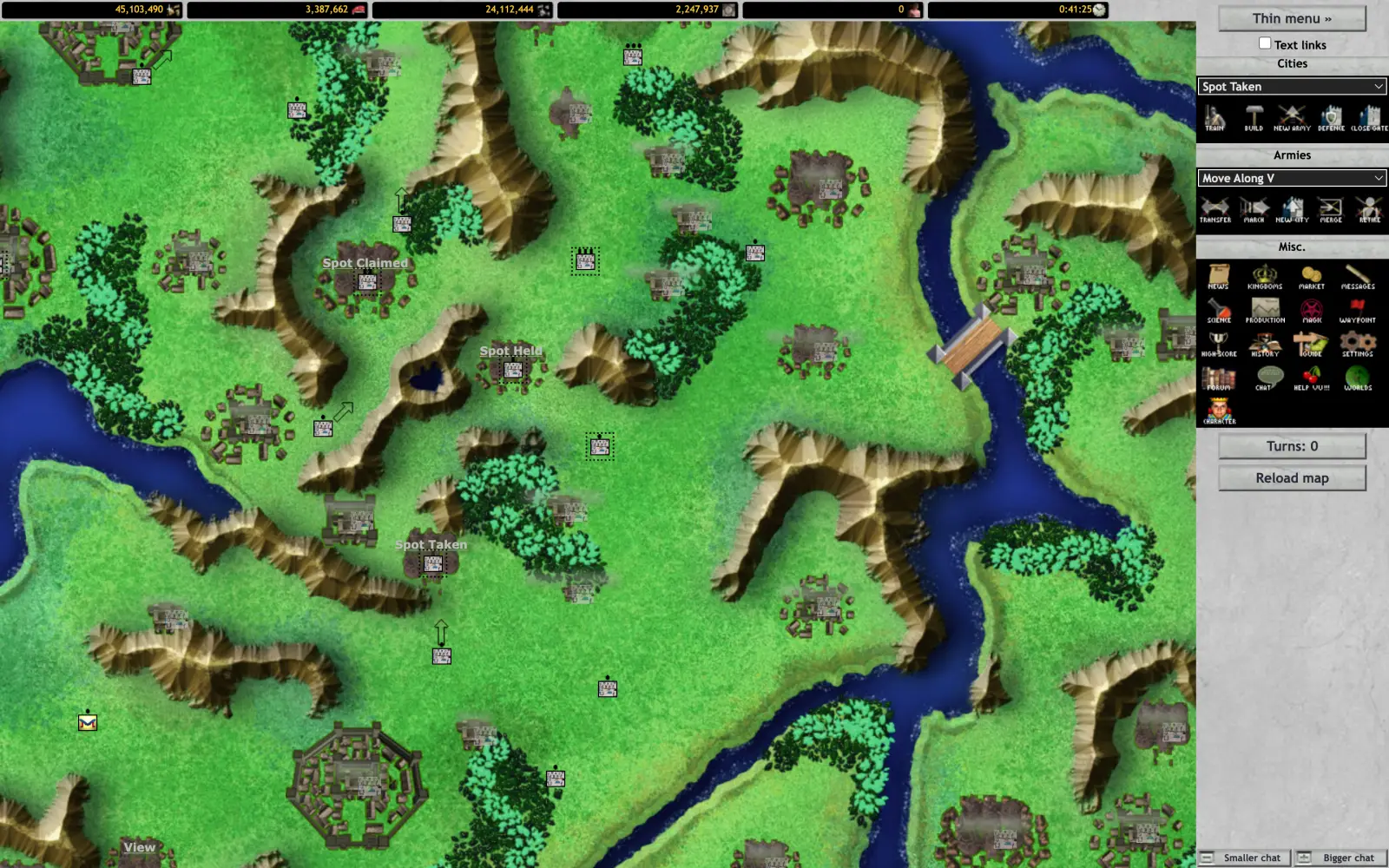
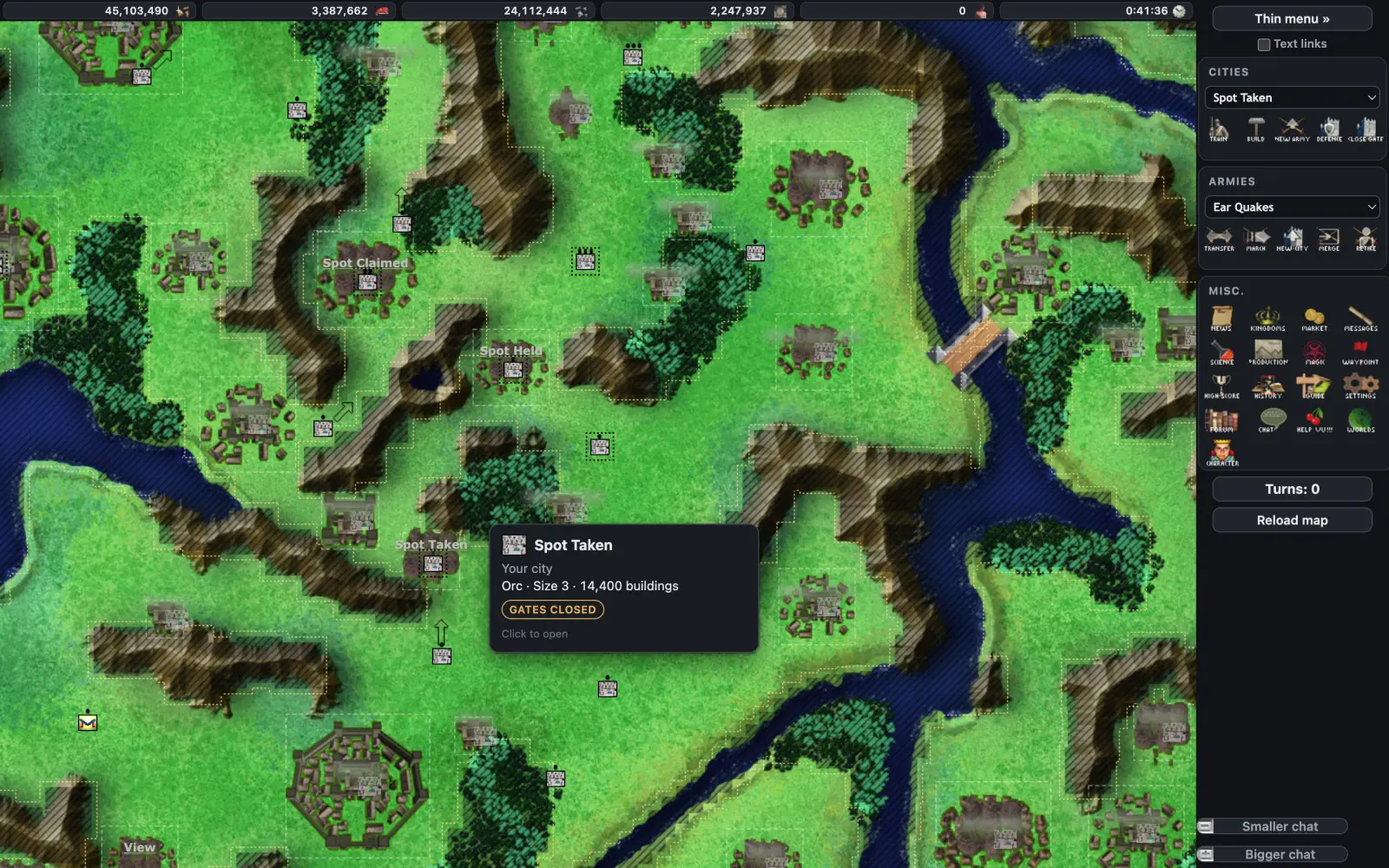 ClassicReloaded
Drag to compare. Hatched ground is where armies can't walk; hover a city for its card.
Set it up
-
Log in to Visual Utopia and open Settings (Account Settings).
-
Find Image-pack path and replace what is there with:Keep the slash at the end.
https://vu-reloaded.dev/ -
Save, then reload the game. Desktop and the mobile site both pick it up.
On your phone, a map driven interface
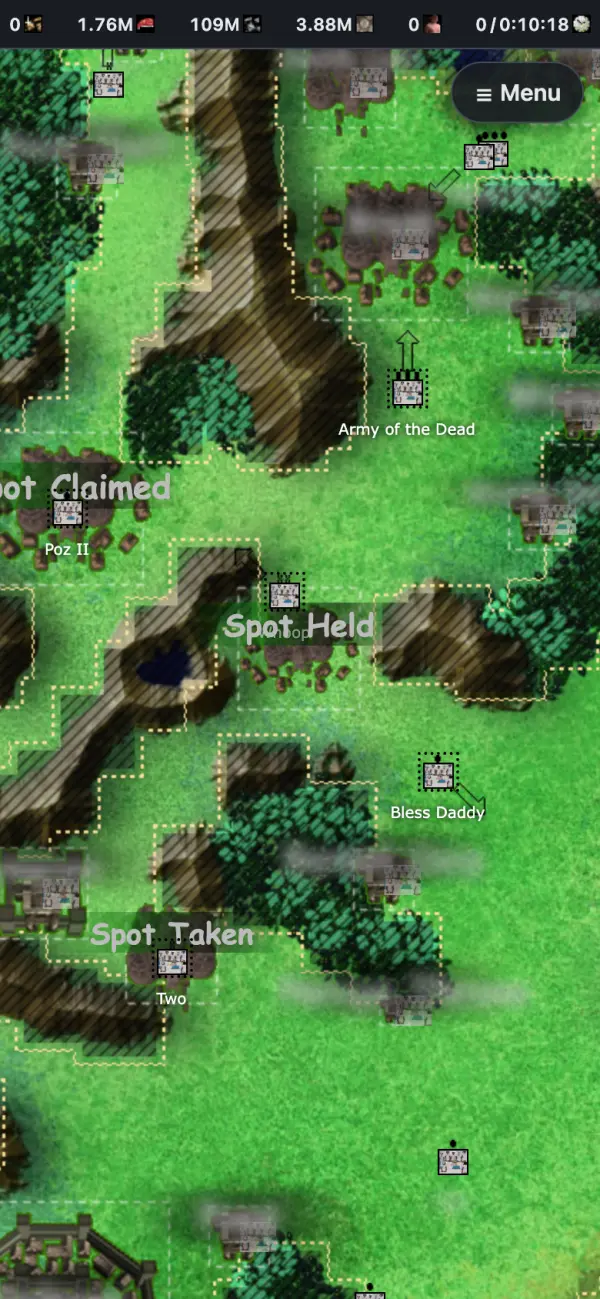
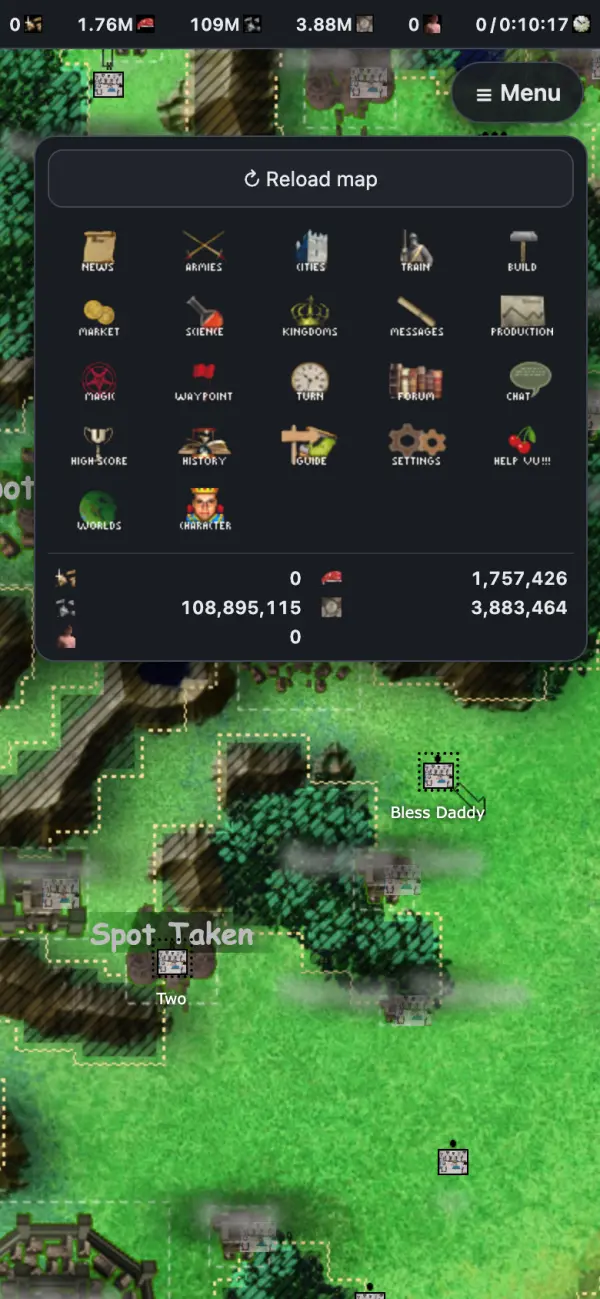
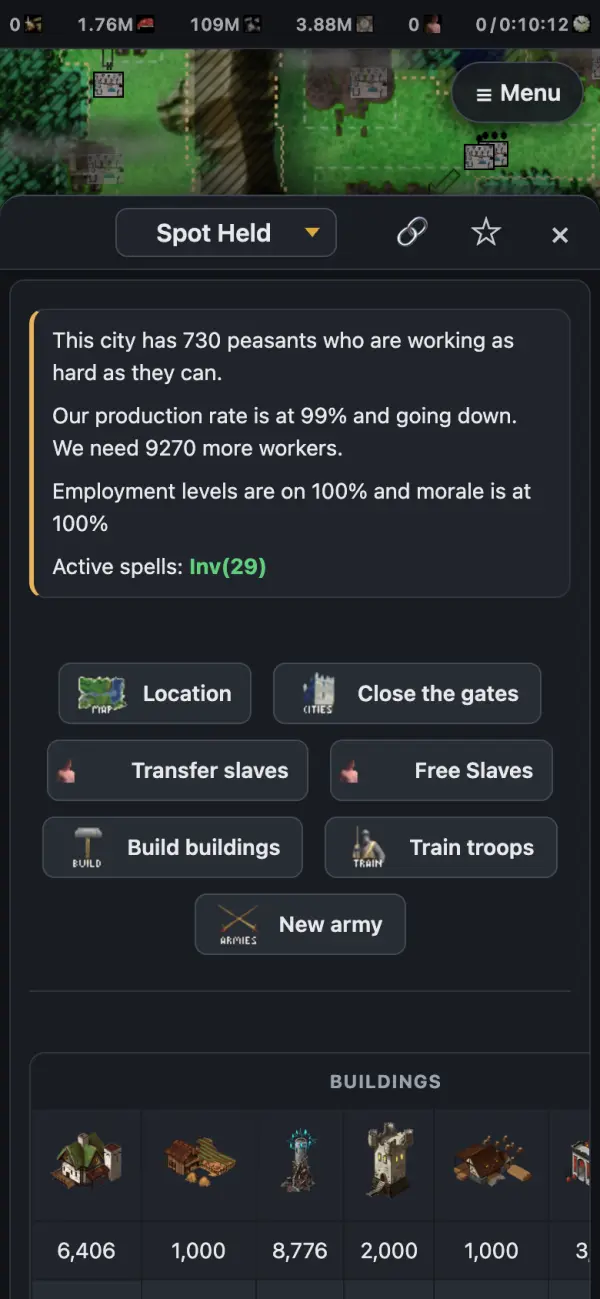
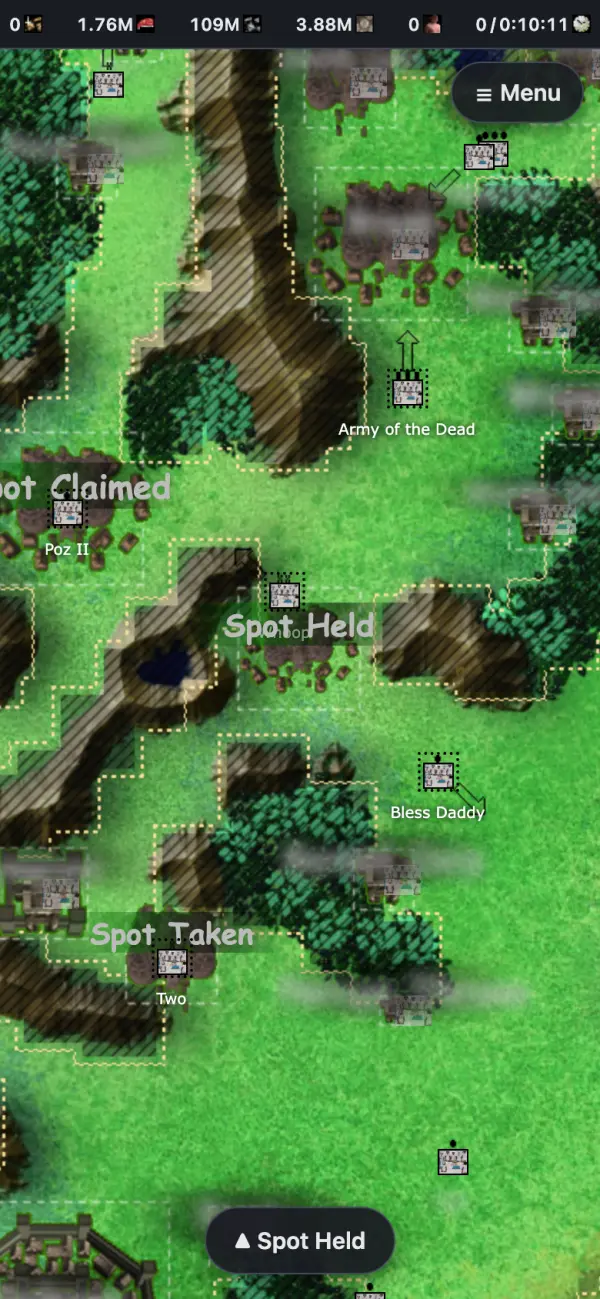
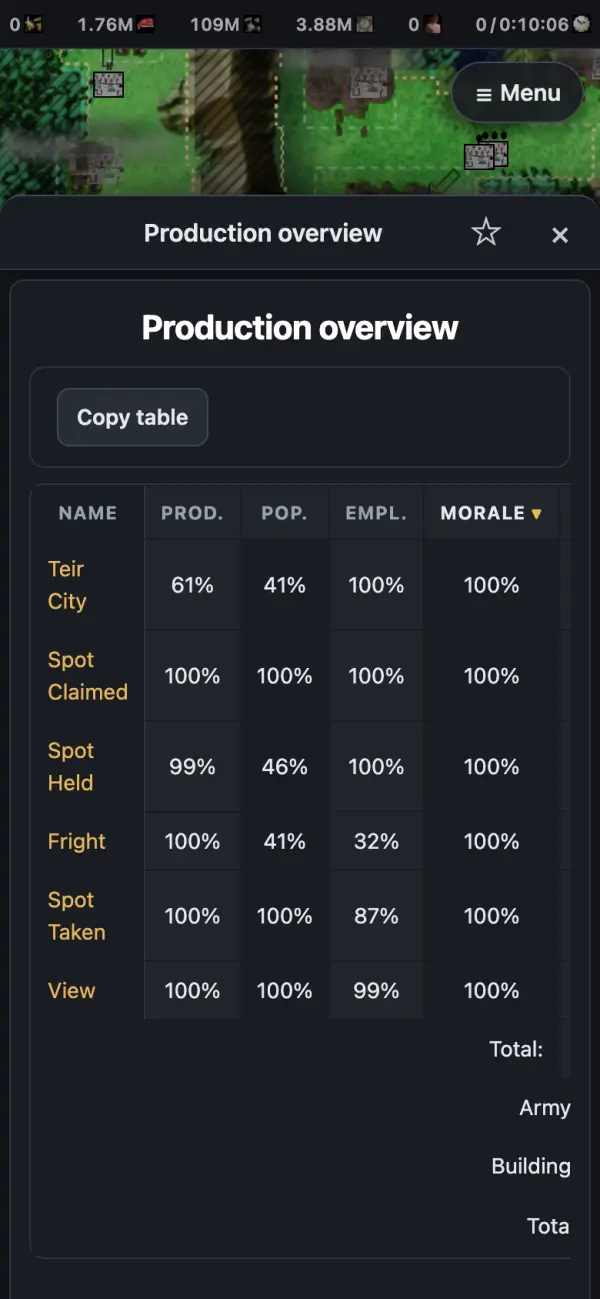
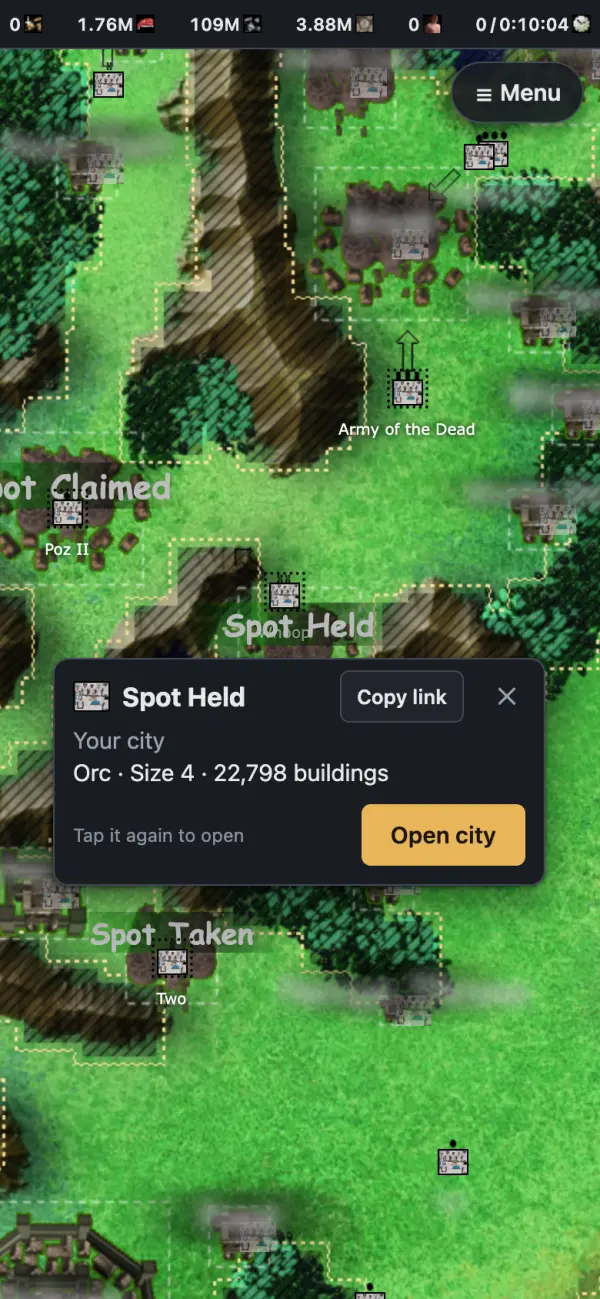
- Opens on the mapResources and the tick clock stay on top, sharp at any zoom.
- One menuEvery page, your favorites and full resource numbers.
- Pages over the mapActive spells, buildings, troops. No more tabs.
- Steps asideThe page drops to a tab while the map shows you a spot. Tap to get it back.
- Sort productionTap a heading to sort cities by any column.
- Tap for a cardOwner, size and Copy link. Tap again to open.
On your computer
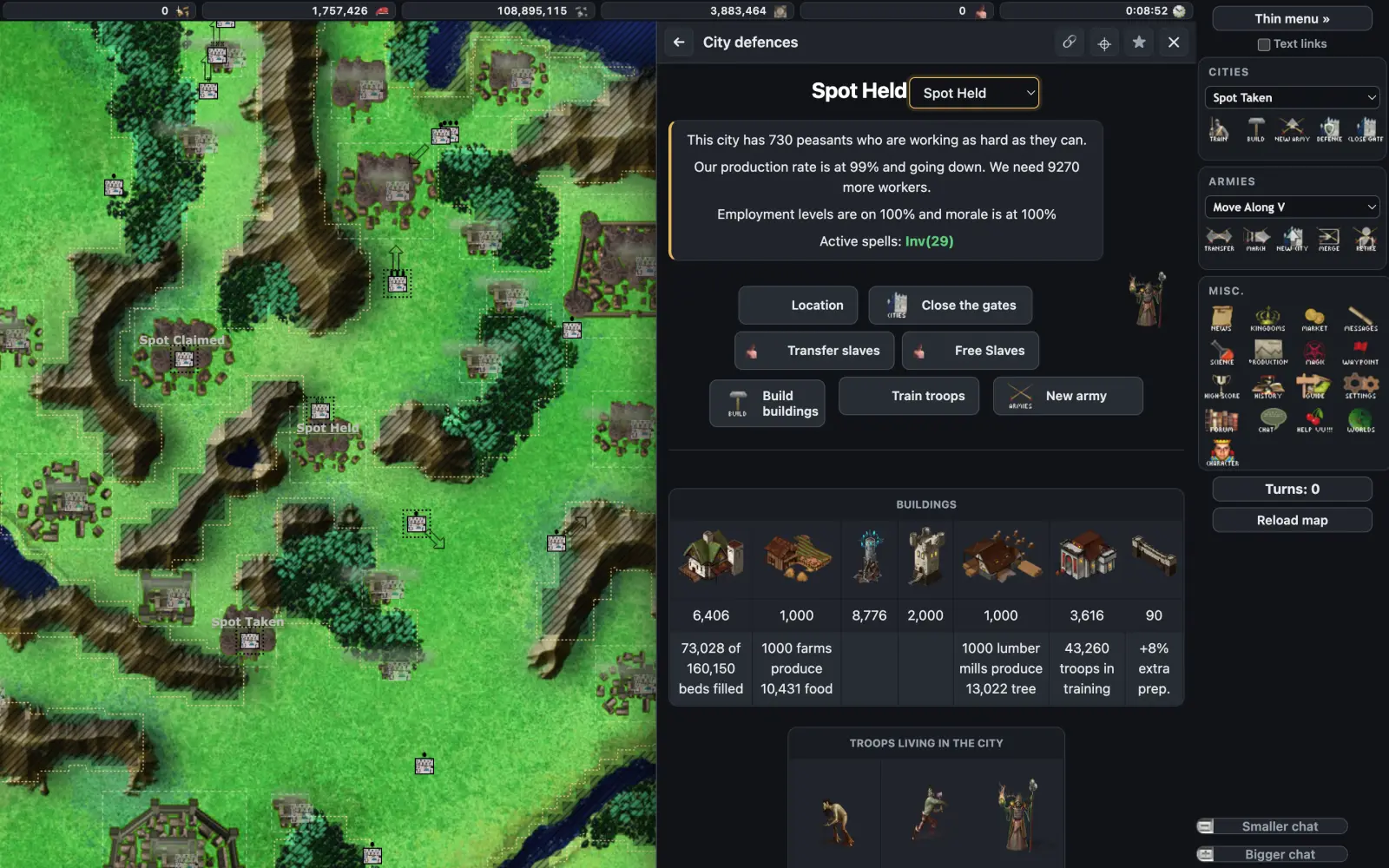
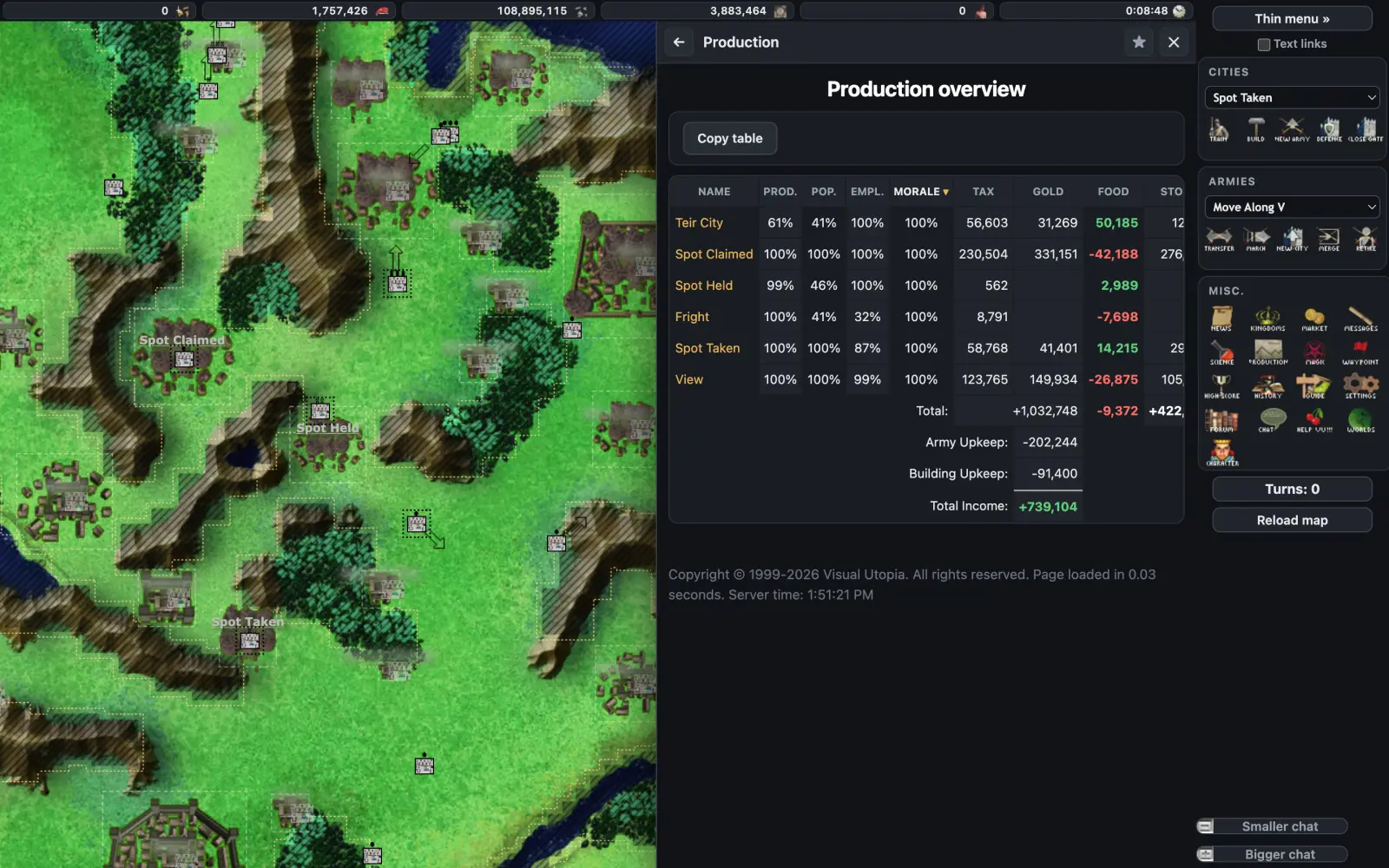
Pages slide in next to the map. City overview: active spells with time left, buildings and troops on one page.
What it changes
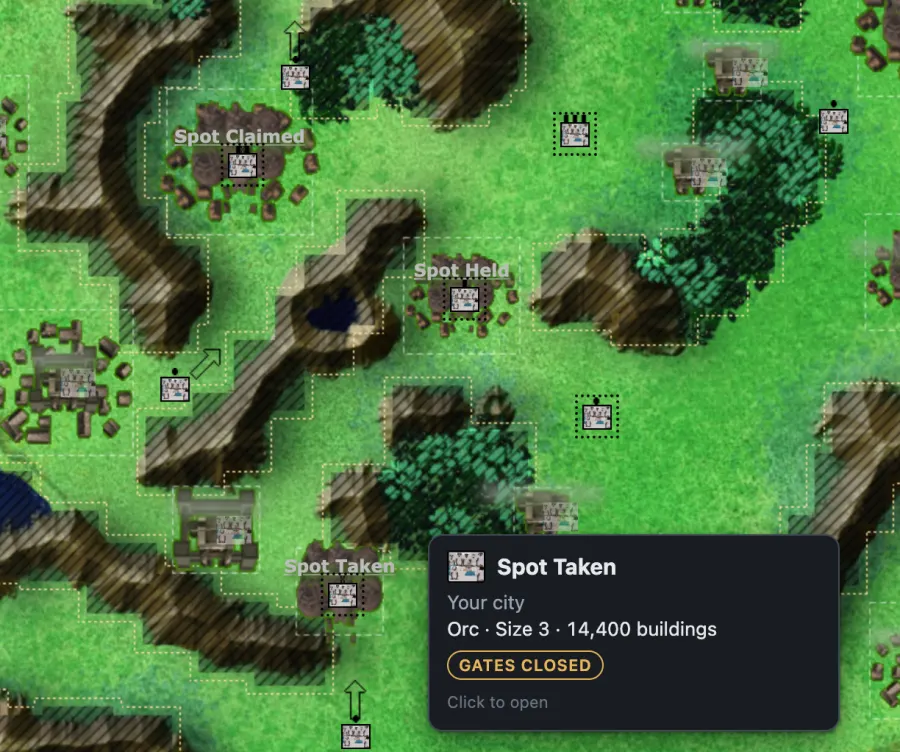
See where armies can't go
Hatched ground is where armies can't walk or build. Closed gates show red, and every city has a card: owner, race, size and buildings.
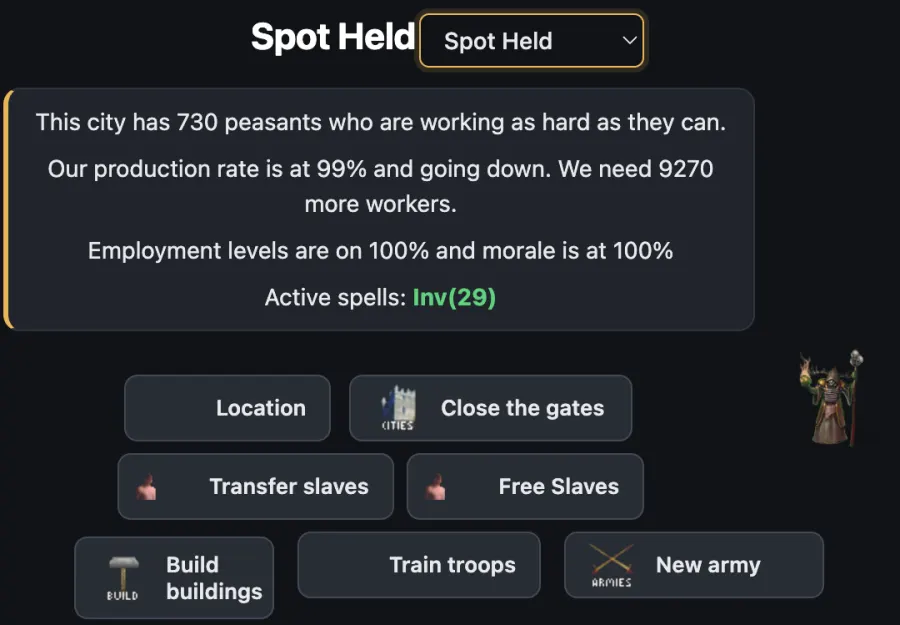
Spells on your cities, with time left
The city overview puts active spells, production, buildings and troops on one page, next to the map.
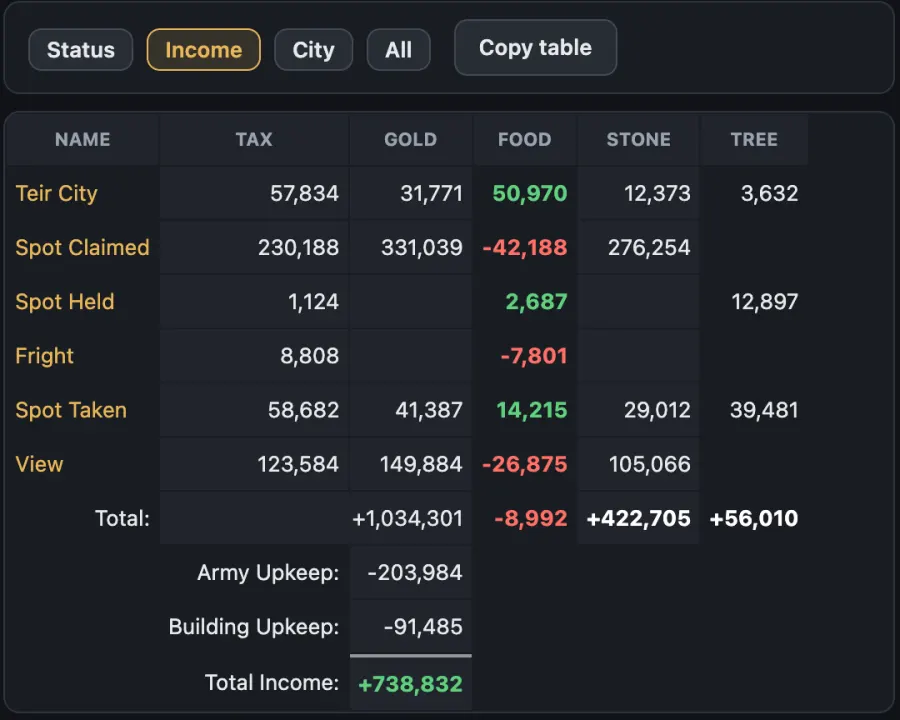
Find your weakest city
Sort any column. On desktop, switch between Status, Income and City, or open the wide view for every column at once.
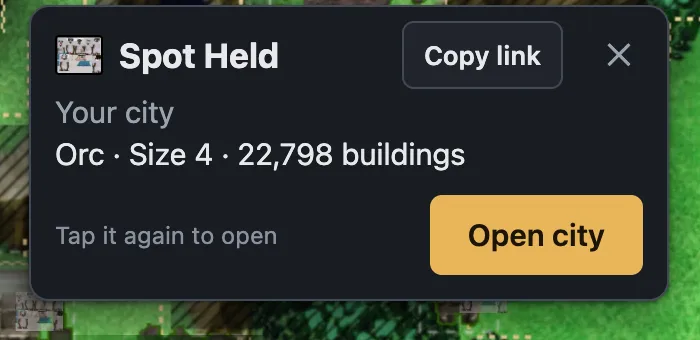
Share an army or city
Copy link gives you its name and a link for Discord. The link opens the game right on that army or city.
Every feature
- Dark theme on every page (or keep Classic)
- City and army dropdowns in alphabetical order; casting lists keep the game's order
- Game pop-ups shown in the page, not as browser alerts
- Settings card in Account Settings: theme, overlay style and more
- Reload map without reloading everything
- Blocked terrain overlay: see where armies can't walk or build
- Closed-gate cities marked red; your attacking armies outlined
- Full army path with total days while you plot a move
- City footprints, Scout Terrain gaps and how many buildings a spot holds
- Spell range rings for your cities while you cast
- Pages slide in next to the map instead of popup boxesDesktop
- Back, Locate and up to 3 pinned pages in the slide-overDesktop
- Hover a city or army for its cardDesktop
- City overview: active spells with time leftDesktop
- Production with every column: Status / Income / City switch, or a wide viewDesktop
- Opens on the map with News, resources and the tick clock on topPhone
- Pages open in a panel over the map, not in 12+ tabsPhone
- The panel steps aside as a tab while the map shows you a spotPhone
- Menu with every page, favorites and full resource numbersPhone
- Tap cards for cities and armies; locate an army and bring it to the topPhone
- Moves and spells without leaving the map; Cancel movePhone
- Tap through other armies while you plot a pathPhone
- Build: city size bar, growth progress, spell range from your Magic Towers
- Production: sort by any column, Copy table for pasting to discord/slack/facebook messenger/skype(I'm sorry if your KD still uses skype)
- City defences: army names link to the army
- Market: Buy max, and a check before you native accidentally
- Slave buttons, troop transfers without reloads
- Settle colony shows the size of a spot you scouted(required a VU sponsored account)
- Copy link on any army or city: its name plus a link, ready for Discord
- The link opens the game on that army or city, on a phone or a computer
- With VU Reloaded, it opens the map right on the spot
FAQ
Does it play the game for me?
No. It changes how the game looks and surfaces extra information, that information is already available in the vanilla VU, but might be tedious to surface. This is designed to improve the user experience with existing information only. Every build, move, cast and attack still needs your own click, and nothing is sent for you.
Is my data sent anywhere?
No. Settings, favorites and anything it remembers stay in your own browser. Like any website, the host (Cloudflare) counts visits by country and network.
What's in a shared link?
Only the army or city number, like
vu-reloaded.dev/go/city/584412. It opens
that army or city in the game for whoever clicks it; a player is
only shown the information they'd be able to find in the vanilla VU
application, nothing is added.
Does it work on my phone?
Yes. Use the game's mobile site with the same Image-pack path. The mobile map gets the most changes.
It looks old or broken after an update.
Reload the game. On desktop, Shift + Reload. Updates reach everyone within about an hour.
How do I turn it off?
Set the Image-pack path back to the game's default,
//static.visual-utopia.com/, and reload.
The game is exactly as before.
Can I change how it looks?
Yes. Account Settings in the game has a VU Reloaded card: theme, map overlay styles and more, saved per browser.
Does it cost anything?
It costs the maintainer ~72 USD per year, but is provided to you at no cost.
Support
There is no official support. VU Reloaded is an unofficial, player-made extension, provided as is and used at your own risk. It is not made, checked or supported by Z3ta, so please don't take VU Reloaded problems to him.
If something breaks, set the Image-pack path back to the default and the game is back to normal. If your UI is completely broken, this link takes you straight to that setting: Account Settings.
Break glass
One tap puts the game back to normal, on any device: it opens the game's Account Settings and switches the Image-pack path back to the game's default for you.
If the page opens but nothing changes, tap the game's Reset button next to Image-pack path, then Update image path. If it asks you to log in, log in and tap Break glass again.
For questions or bug reports, join the community Discord and post in #questions-and-feedback under VU Reloaded. A screenshot of the page helps.